

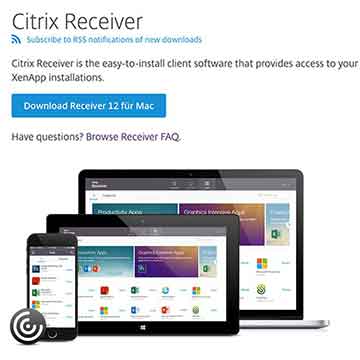
CCitrix XenDesktop/XenApp 7.x is missing features that have been available in XenApp for years. I don’t understand why Citrix didn’t include them in XenDesktop 7 from day one. Now Citrix is creating „workarounds“ in response to customer requests. What am I talking about, you ask?
A desktop that is linked to a delivery group is being shared. The delivery group does not have any options in the GUI for: Restricting access to the desktop (PoSh is required for this), size, etc., of the desktop (not everyone wants the Desktop Viewer, The ICA file needs to be modified), the desktop icon cannot be changed (PoSh is needed again) and no option to automatically create a desktop shortcut on the client desktop (The receiver must be installed using command-line parameters, or registry key).
Then change the desktop icon About PoSh and the old online plug-in version 12.x displays the new icon perfectly. Now it's time to upgrade to the latest receiver version 4.3.1.1, and now the beautifully customized Icon is gone again and only a generic icon is displayed. Now there is also another PoSh command to overwrite that again! But users who already have the generic icons are out of luck. To fix this, the Citrix order must now be deleted from every user profile on the client.
As mentioned earlier, users of an older Citrix client (online plug-in) with StoreFront and XenApp/XenDesktop 7.x cannot automatically create an icon on the client desktop. Once again, here StoreFront can be customized, so that ALL applications are displayed on the desktop, including the published desktop.
That's exactly what I'm talking about! Workarounds everywhere for something that's still so simple today with XenApp 6.5 and earlier versions!
Yes, it hasn't gotten any easier going from 6.5 to 7.6. By the way, do you have a solution for enabling two sessions on the same published desktop (for different users) using Receiver 4.4 and Storefront 3.0?
Multiple desktop sessions are only possible with server operating systems and active RDS. With client desktops, only one user can be logged in at a time.
So am I understanding you correctly that the client must be running MS Windows Server 2008 R2/2012 R2 at that time?
Or are you referring to the difference between XenApp and XenDesktop?
With XenApp version 6.5, it is currently still relatively easy to open two sessions (for different users) on a published desktop, allowing you to open applications that are not multi-session capable multiple times.
XenApp/XenDesktop 7.x is the same as 100%.
I'm talking about single-session (e.g., Windows 7 VM) and multi-session (e.g., Windows Server 2012 R2 RDS). Multi-session is equivalent to XenApp in your environment and works the same way, meaning that multiple users can connect to the shared desktop.
Your statement that XenApp 6.5 is not capable of multisession is contradictory, since XenApp 6.5 only supports multisession—or perhaps I simply don't understand your question.