

OneDrive is becoming increasingly popular among businesses, which is why Microsoft is rolling out new features for it. In particular, the „Document collaboration and co-authoring„Collaborating on Office documents is in high demand. When this feature is enabled, the following error message may appear, especially in Microsoft Excel: „“Server file updated. A newer version is available". There is quite a bit of information about this error message online, but it didn't lead to the desired solution for one of my clients.
For the customer, it was clear. As soon as the feature was enabled and he opened an Excel file from OneDrive, the error message „“Server file updated. A newer version is available" ... was displayed. All investigations and attempts failed to yield a positive result. However, once all Microsoft policies for the user were removed, the error no longer appeared. The only question remaining was which specific policy was causing this error. The GPO was then quickly located and identified: „Enable file synchronization via SOAP over HTTP„
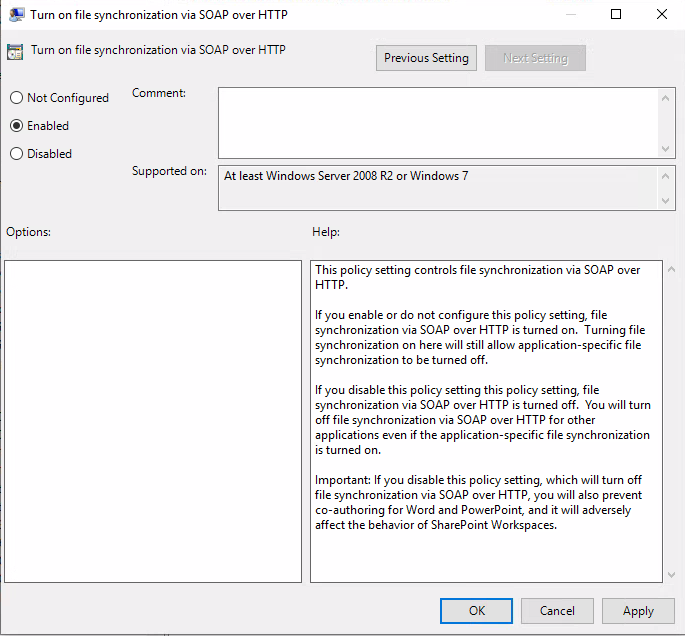
This setting was inherited from the Office 2013 settings and hadn't caused any issues until now, but OneDrive hadn't been used at all until then! The problem was resolved by not configuring the GPO.
 German
  English