

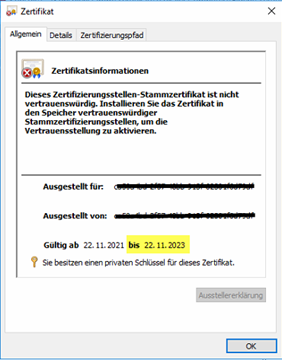
LLast week, I received a request from a customer reporting that MFA authentication had suddenly stopped working. The customer then installed the latest NPS MFA extension and ran the MFA troubleshooting script, but found nothing. Ultimately, he asked me for immediate support. A look at the MFA event log revealed a critical error featuring: „CLIENT_CERT_IDENTIFIER“ and thus a reference to the local certificate on the NPS server. In the personal certificate store, the certificate is associated with the Azure tenant ID ...and this was still valid just one day ago! A new certificate for the Azure Multi-Factor Authentication client needs to be generated, but how?
Here is the certificate, and to be sure, the „Issuer" field in the details must read: "OU= Microsoft NPS Extension“.
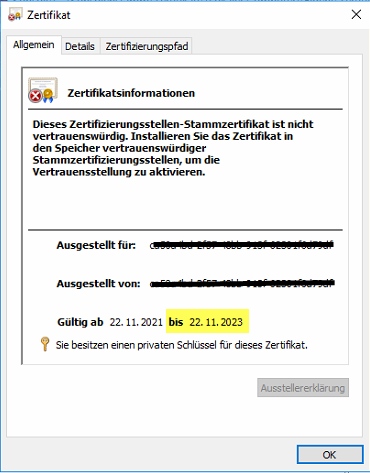
The solution is, once again, the AzureMfaNpsExtnConfigSetup.ps1 Run the script to generate a new certificate. This must be done every two years, as the private certificate is not valid for longer than that.
Case closed? No, because instead of a „Approve/Deny“A one-time password (OTP) was requested, but it worked. However, the users are the „Approve/Deny“was used to it and wanted it that way again! The customer’s update of the NPS MFA extension resulted in Microsoft, with the newer version, Force OTP! Fortunately, this can be undone via a registry key. To do this, set the value OVERRIDE_NUMBER_MATCHING_WITH_OTP on FALSE set it to disable the OTP requirement.
Problem solved? Not quite, because in Entra, the certificate expiration status for the „Azure Multi-Factor Auth Client“ was still set to invalid!? The problem is that the „Azure Multi-Factor Auth Client“ enterprise application may have multiple certificates stored, and if even one of the certificates has expired, the status becomes invalid. Therefore, you must all invalid certificates can be deleted, but how? Using the PowerShell command: Get-MsolServicePrincipalCredential -AppPrincipalId "981f26a1-7f43-403b-a875-f8b09b8cd720" -ReturnKeyValues 1 all certificates can be displayed. Then all expired certificates must be deleted using the Key ID. The command Remove-MsolServicePrincipalCredential -AppPrincipalId "981f26a1-7f43-403b-a875-f8b09b8cd720" -KeyID "d8d60ffe-9991-4c05-960d-29c51a7d4540" then deletes the certificate with the specified KeyID. Once all certificates have been deleted, the status displays „Current“.”.
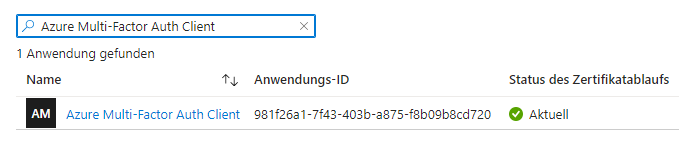
That finally resolved the support case for me, but keep in mind that the certificate every two years needs to be renewed.

 German
  English
Thanks! I had exactly the same problem!