DOnce Citrix Application Delivery Management is set up and enabled, it Analytics a flood of information, but can the administrator or the company actually make use of it? The final section on the Citrix ADM Cloud service addresses this question, as well as how and where to obtain the data in the first place.
The additional feature Analytics ADM requires a license, but each Citrix Cloud ADM instance comes with two free licenses for Analytics, which covers two vServers within Netscaler. Therefore, Analytics must first be configured so that we can actually take advantage of the feature.
Configure Cloud ADM
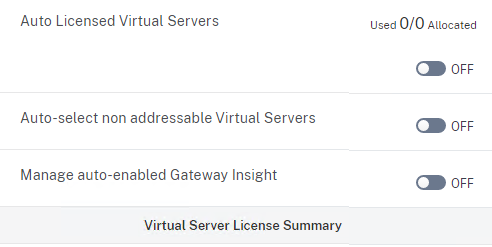
By default, licensing is set to Automatic set up, and anyone who has configured more than two vServers (gateway, load balancer, content switch) will quickly end up licensing the wrong vServers. Therefore, the first step should be to disable automatic licensing.
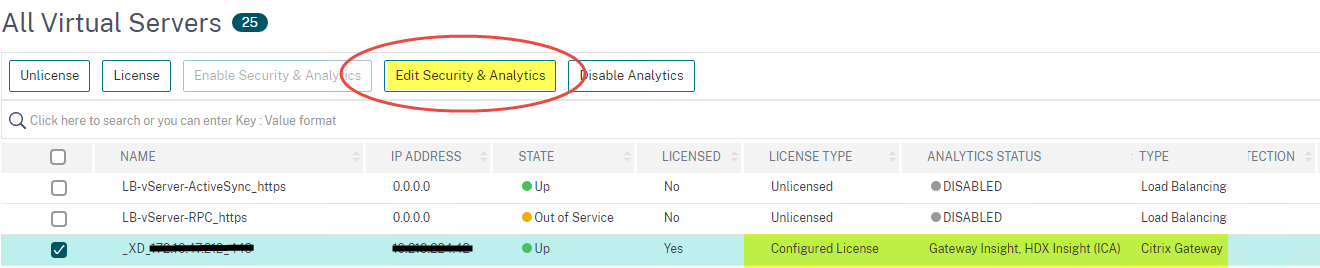
After that, vServers can be licensed specifically for Analytics. Gateway vServers are particularly well-suited for Analytics and thus for activating HDX Insight (ICA) and/or Gateway Insight, but ultimately, any vServer can be configured for Analytics. After enabling Analytics for the vServer, the necessary configuration is transferred to the Netscalers via the ADM agent. This primarily consists of the Appflow integrated into the Netscaler, along with policies, profiles, etc., which are automatically created on the Netscaler and bound to the vServer.
HDX Insight
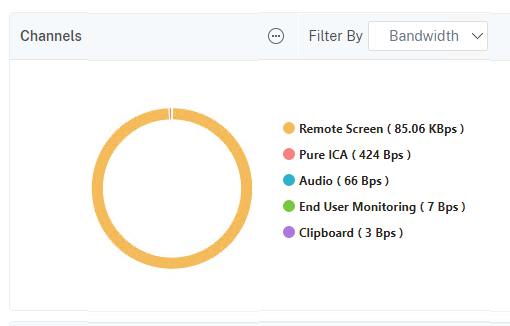
When HDX Insight is enabled, the ADM agent collects a vast amount of data, which is stored under Gateway | HDX Insight can be found here. This page lists all users as well as all relevant technical details about each individual user. This allows you to quickly high latency and/or a high bandwidth usage can be identified for individual virtual channels. In the following example image, the Remote Screen the most bandwidth, followed by Pure ICA.
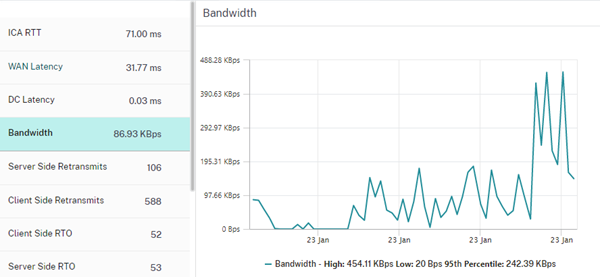
 The total consumption during the previously selected time period and many other details, such as the ICA Round-Trip Time (RTT) can be evaluated for each individual user.
SSL Dashboard
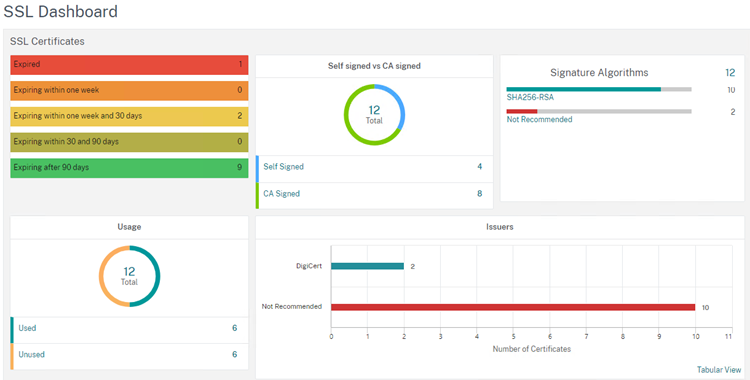
The SSL dashboard provides a quick overview of the certificates in use and when Certificates expire and what encryption vServers have configured. This makes it easy to identify vServers that do not comply with the highest safety standards are configured, and if necessary, they can be reconfigured right away.
Syslog messages
To receive Syslog messages in the ADM Cloud, you must first configure this for the Netscalers. Once configured, these messages are stored in the cloud and can be searched using filters. It would be great if Citrix would also introduce rules here that trigger notifications, for example, when incorrect registration.
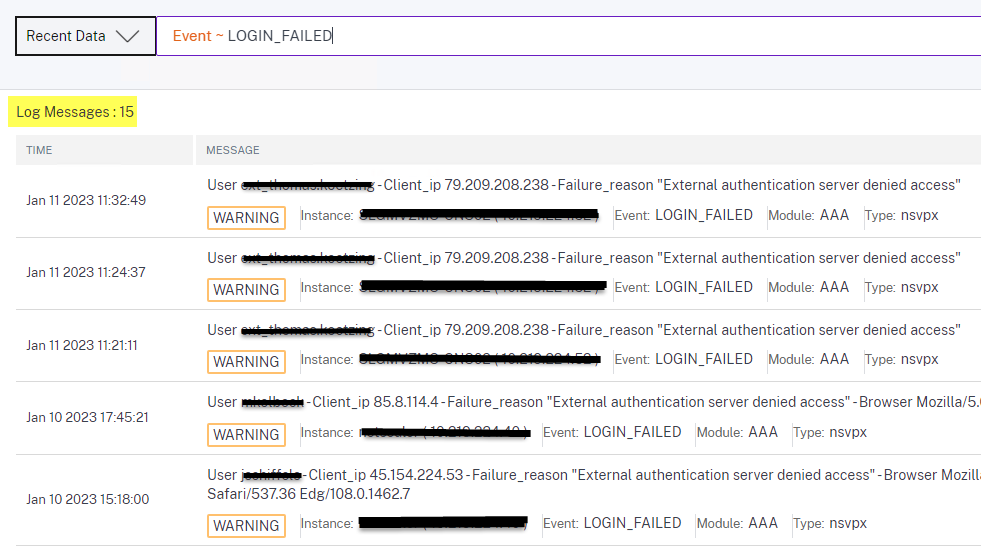
If the usernames do not match the schema in Active Directory or if the users are unknown, then obviously a Attempted attack, e.g., brute force or something similar.
Summary
The Analytics feature offers significant value, and the two free licenses should therefore be used effectively. We particularly recommend Gateway vServers with HDX-Insight, as this can be very helpful when troubleshooting. Notifications should be enabled so that you also receive alerts regarding expiring certificates and necessary security updates can be sent. Additionally, Syslog can be enabled if a Syslog server is not already being used on-premises.
All of this is available free of charge, which is why the Citrix Cloud ADM service should definitely be used.