HThese days, AI is everywhere—and I’ve been working with it for a long time. When I came across an article on LinkedIn, I immediately recognized the potential for one of my clients. I adapted the approaches outlined in the article, tailored my preparation to the client’s specific problem, and achieved a amazing result: Thanks to AI, I was able to do it within identify the exact problem in about a minute – something that would have taken much longer without AI. In this article, I’ll talk about a actual support case and show how AI helped me solve a customer problem in no time.
What exactly is this about?
The customer was having a problem where the print service in their multi-user system kept crashing—and no one knew why. The event log provided almost no clues, other than that splwow64.exe had triggered an exception. At the time, all I knew was that a 32-bit printer driver was being used on a 64-bit operating system, what should generally be avoided.
Since there was no crash dump available for the incident, I first explained to the customer how to create one Dump could generate. The customer then made the necessary changes and waited until the print service crashed again. I absolutely needed the crash dump so that I—or rather, the AI—could get to the bottom of the problem.
In the meantime, I adapted the following Blog post, which I found on LinkedIn—which wasn't exactly easy if you don't work in that field on a daily basis.
Requirements
- Free installation of Python 3.10 or later.
- Free installation of Visual Studio Code (version 1.99 or later).
- Free installation of Debugging Tools for Windows.
- A free GitHub account (if you don't already have one).
- Free installation of Git for Windows.
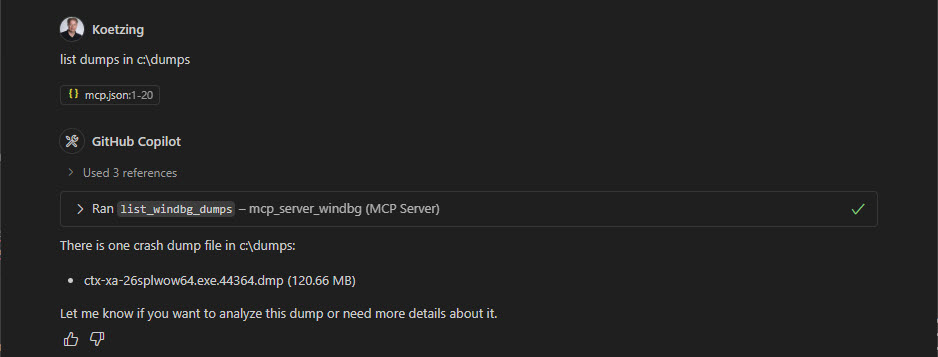
After the customer contacted me and sent me the process dump from splwow64.exe had sent, I wanted to find out just how much the AI could help me. That’s why I’m sharing here the exact prompts I gave to GitHub Copilot (GPT-4.1). I had saved the client’s dump to C:\Dumps saved.
First, the AI needs to know which dump to analyze, so I just have it search for it: this takes about 5 seconds.
Next, the AI will analyze the dump: this will take about 15 seconds.
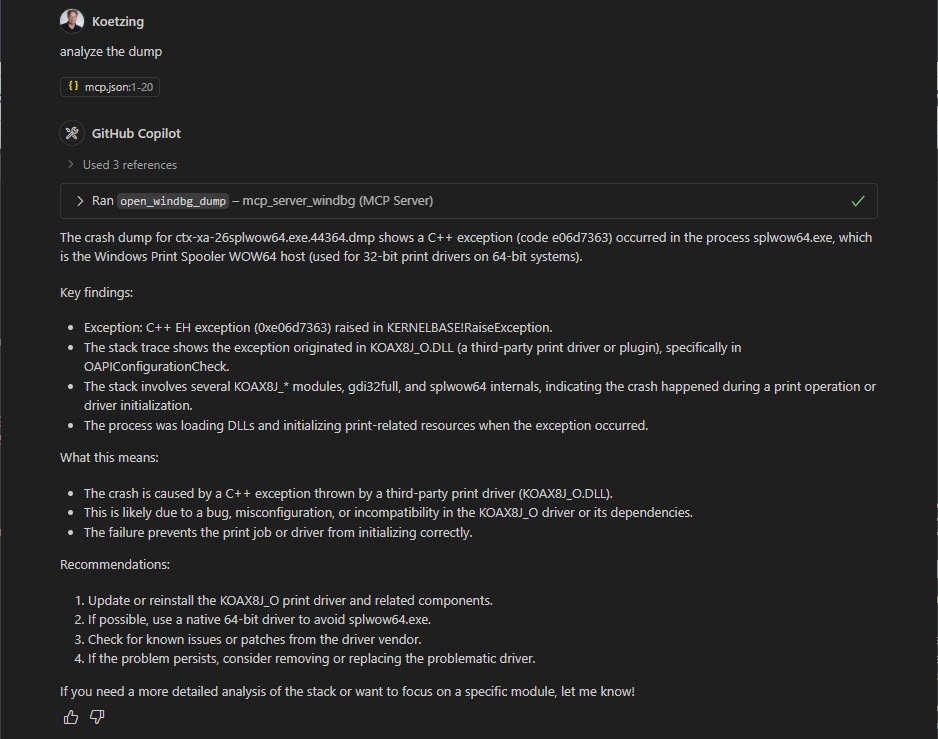
Okay, wow!
That's a very specific description of what caused the error! But I'd like a bit more detail, so I'd like to see the status of the printer driver:
Duration: approx. 15 seconds.
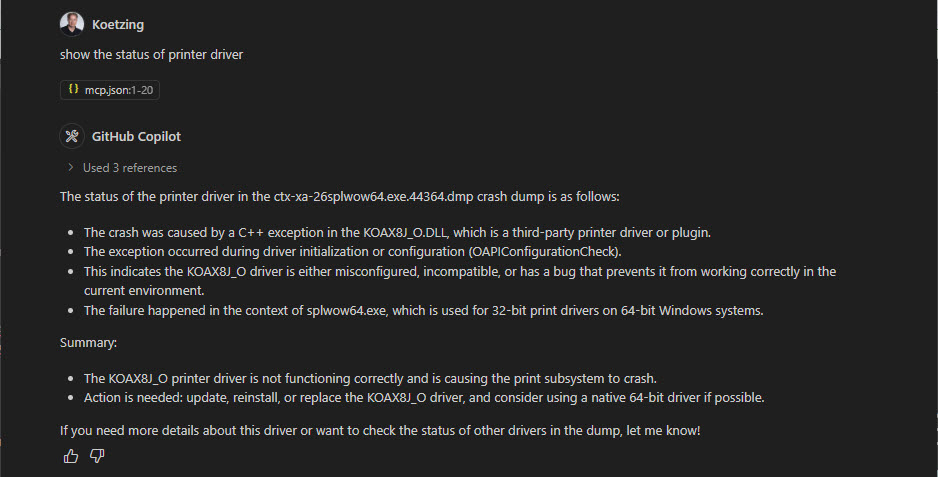
That is very precise and includes a Summary and Actions, which leads to Resolution should be carried out to address the problem.
But the thing is, printer drivers often get updated without anyone noticing, or the driver is simply downloaded from the print server via P2P, so I’d like to know the date of the printer driver. So: Show driver date for koax8j*
Duration: approx. 10 seconds.
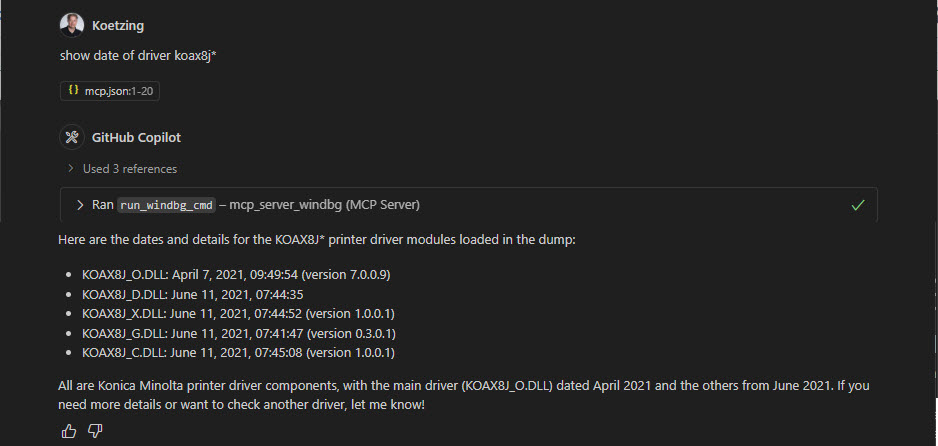
Now we've got it figured out! The problematic printer driver is for a Konica Minolta printer and was in the April 2021 published.
Therefore, the following recommendation for the customer
- Update to the Konica Minolta Printer driver released after April 2021.
- Use of a 64-bit printer driver.
- Enable printer isolation via GPO to prevent the printer service from crashing in the first place.
In addition to the standard dumps, I also have LiveKD Stack Traces (these are pretty large log files) and have them analyzed by AI, and I'm really excited about it too!
Summary
I have analyzed crash dumps with WinDBG on numerous occasions and have conducted training sessions at Dmitry Vostokov completed—which makes it much easier for me to provide the „right“ prompts. Of course, a basic understanding is still necessary, but with AI support, it speeds up the analysis process tremendously. So if you’re well prepared for a crash dump, you can solve it in no time with the help of AI—or at least achieve a very good result.