


MWith Internet Explorer 11, Microsoft has Protected Mode expanded to include Enhanced Protected Mode (Enhanced Protected Mode) is an option that can be set in the advanced settings. By default, Enhanced Protected Mode is not enabled. However, if this mode is enabled, Internet Explorer (or the tab) will close unexpectedly when using Adobe Flash to play videos.
This problem has been frequently reported by people who use YouTube.
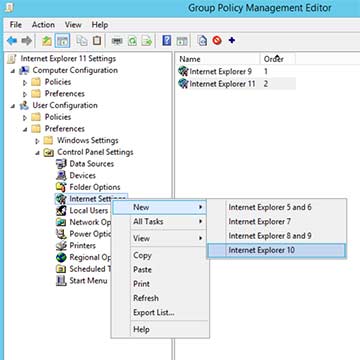
In a Citrix environment, Microsoft Internet Explorer should be restricted and configured using Group Policy. This can be done via Settings | Control Panel Settings | Internet Settings (Configured on Windows Server 2012; requires IE 10 settings). For unknown reasons, Microsoft enables Enhanced Protected Mode when creating a new configuration for Internet Explorer, which then causes Adobe Flash to crash.
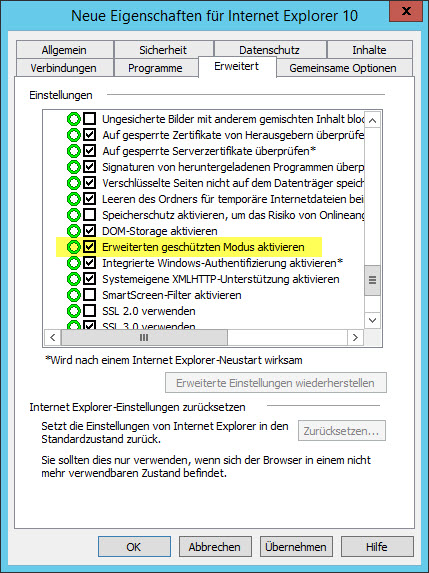
Microsoft or Adobe may fix this issue in a future update, but until then, Enhanced Protected Mode should remain disabled, just as it is without any policies.

Thank you so much! That's exactly what I was looking for!!!